


Karaoke Video Generator – How to Use It
🎤 Welcome to the magical world of personalized karaoke! ✨
Important :
To use the karaoke video generator, you must first:
Then generate your own ultra-pro karaoke videos with karaokeclip.video ! Whether you’re a fan, artist, bar, event organizer (bachelorette parties, weddings, birthdays…), anything is possible! 🎉
Create your karaoke clip in a few clicks:
- Upload your video in MP4 format (up to 15 minutes / 2 GB).
-
Two possible paths for lyrics — you choose:
-
Option A — You provide your lyrics : drop a
.txtfile containing perfectly formatted lyrics (one line = one subtitle line) → direct access to word-by-word alignment ⚡ -
Option B — You don’t have the lyrics : our AI takes care of everything 📝
- Smart audio track separation: full → instrumental + vocals.
- Automatic voice transcription (speech-to-text).
- Simultaneous retrieval of official lyrics from Spotify, Genius, Lrclib et LyricFind.
- Two side-by-side areas (AI transcription on the left + official lyrics on the right) to correct and format your lines in a few clicks.
-
Option A — You provide your lyrics : drop a
- Ultra-precise word-by-word alignment to the voice 🎙️: our AI automatically aligns each word, and the visual waveform allows you to perfectly adjust held or dragging words of the singer.

Crazy customization in the final editor:
- Letter by letter karaoke curtain effect : text color of sung/passed vs remaining/future 🎨
- Outline et drop shadow customizable.
- Wide choice of fonts.
- Static lines (from 2 to 8 lines displayed simultaneously): identical settings to karaoke lines or completely different ( sync button to copy everything in one click).
- Block position : top / center / bottom + margin in %.
- Full audio mix 🎚️: independent volume for full / instrumental / vocal tracks + global master.
- Custom logo and watermark 🏃♂️: bar logo, birthday photo, bachelorette party text… in fixed position or in motion (multiple positions + pause and transition times).
- Professional export : H.264 / H.265, MP4 / MKV / MOV, adjustable bitrate, encoding preset of your choice (quality / weight / time balance).
Pricing & previews:
- Autonomous generation : 5 credits (≈ €5) per complete video.
- Free previews : up to 15 previews of 15 to 45 seconds (centered on the video to quickly see the subtitles) → then 1 credit every 15 additional previews.
- Pro manual service : 10 credits (≈ €10) per minute of video — precise adjustments made by our team.
Purchase of existing videos:
- All demo videos on karaokeclip.video bear a semi-transparent watermark. But when you generate YOUR videos (autonomously or by us), no forced watermark — or placement of your own if you wish! 😎
- Demo video without watermark : a purchase button in the description of each video allows you to get the clean version. Each purchase automatically includes a ZIP file containing both versions “Instrumental only” et “Complete (vocals + instrumental)” without the karaokeclip.video watermark.
- 👉 Bonus included : for each video purchased, our watermark also disappears when you watch it on the site while logged in. Ideal for karaoke professionals who wish to create playlists without any watermarks.
- Custom demo video in your image : we can make it custom within 24 to 48 hours. Contact us by indicating the title and / or the link of the desired video.
Ready to quickly transform any video clip into a legendary karaoke in just a few clicks?
→ Go to 👉
Have fun and sing loud! 🎤🔥✨
📖 More detailed explanations: how does everything work step by step? Click to open

1. Upload & audio pre-processing (always automatic) :
- Your video is analyzed → track extraction of the full (original sound).
- Smart separation into instrumental + vocals thanks to our advanced AI technology.
2. Lyric management — two possible paths :
-
Case 1 — You provide a text file (.txt) containing the lyrics, at the same time as the video:
- No AI transcription is launched.
- The file defines exactly the subtitle lines (length, breaks, punctuation).
- Warning : spelling, line timing and formatting must be finalized before upload — modifications impossible after this step.
- Direct access toword-by-word alignment then to thevideo generation interface.
-
Case 2 — No lyrics file :
- Automatic transcription of vocals by our AI speech-to-text.
- Simultaneous retrieval of official lyrics from Spotify, Genius et Lrclib (if available).
- Two side-by-side interfaces await you:
- Left: raw AI transcription (to be corrected and formatted).
- Right: official lyrics (buttons to choose the source).
- Correct any errors then cut your lines (each line of text = one line displayed on the screen).
- Validate → automatic word-by-word alignment with an accuracy of approximately 95%.
- 👉 Bonus : in 1 click, the raw transcription can be automatically corrected and formatted by our specialized AI model.
3. Precise realignment (the strong point!) :
- Ultra-readable vocal waveform with annotations word by word.
- The initial alignment is already about 95% accurate thanks to our AI.
- Easily drag-stretch each word to perfectly adjust held notes, vibratos, dragging words → achieve 100% accuracy.
- Result: the karaoke highlight follows exactly the actual duration of the singing.
4. Visual customization of subtitles :
-
Active line (karaoke effect) : color of sung / passed (e.g.,
#FFD700) vs. remaining / future (e.g.,#FFFFFF,#00FFFF…). - Outline et drop shadow customizable (highly recommended for readability on all backgrounds).
- Various fonts available, and additions possible upon request.
-
Static lines (the lines preceding the current one): identical or different settings.
- Sync button to copy everything with one click.
- Number of visible lines : from 1 to 8 simultaneously.
- Block position : Top / Center / Bottom + margin as % from the edge.
- Accessibility : high contrast and highly legible fonts available.
5. Automatic subtitle translation (optional) :
- Display the real-time translation of the sung line in the language of your choice.
- Ability to correct and customize the AI-generated translation.
- Various fonts, outline, and drop shadow also customizable on translated lines.
- Block position: Top / Center / Bottom + margin as % from the edge.
-
Karaoke effects also available on translated subtitles :
- Word by word.
- Letter by letter.
-
AI bilingual neural word-by-word alignment (1 credit option):
- Surgical synchronization : each word of your translation syncs with millimeter precision to the original voice — no more subtitles scrolling too fast or out of sync with the melody.
- Advanced AI models : powered by specialized models BinaryAlign (optimized language pairs) and mBERT (extended multilingual coverage), our engine matches the translation to the exact rhythm of the performer.
- Immersive multilingual karaoke : offer your audience an experience as fluid and natural as in the original language, even when they sing in a language they do not master.
6. Video settings & encoding :
-
Codecs :
- H.264 → universal compatibility.
- H.265 → significantly higher compression.
- Formats : MP4 (most universal), MKV, MOV.
- Constant Rate Factor (CRF) adjustable.
-
Encoding preset (de Medium à Ultra Fast) :
- Very Fast / Super Fast / Ultra Fast → fast encoding, larger file → ideal for previews and tests.
- Medium → longer encoding, but a much lighter and higher quality file → preferred for the final video.
7. Complete audio mixing & advanced processing :
- Independent volume for each track: Full / Instrumental / Vocals.
-
Global Master Volume.
- → Pure karaoke (instrumental only), original version, custom balance… everything is possible! 🎛️
-
Advanced audio processing available for each track:
- Automatic amplification.
- Frequency cleaning.
- Parametric equalizer.
- Dynamic compressor.
- Volume limiter.
- Stereo widening.
- Bass boost.
- Crystalizer (audio restoration).
8. Custom logo / watermark (optional) :
- Upload your image : karaoke bar logo, Hen/Stag Party photo, birthday text, commercial brand…
- Position : fixed or animated (choose multiple positions: top left, center, bottom right…).
- Pause time at each position and transition time (fade).
-
Opacity, margin, and resizing factor fully adjustable.
- → Perfect for customization without ever being intrusive.
9. Rates & previews in detail :
- Autonomous generation : 5 credits (≈ €5) per complete video.
-
Previews :
- Duration from 15 to 45 seconds, starting from the beginning or centered on the video (to see subtitles even if the intro is long).
- The first 15 previews are included for free.
- Beyond that: 1 credit for 15 additional previews (anti-abuse measure).
-
Pro manual service (video entirely produced by our team):
- 10 credits (≈ €10) per minute of final video.
- Videos possible up to a maximum of 90 minutes.
- Millimetric adjustments by our team.
- 100% customization according to your wishes.
- → Contact us to detail your project to us.
10. Other strengths of the generator :
-
Autonomous & flexible processing pipeline :
- Stay on the page and follow each step in real time.
- Or leave the page at any time — you will be notified by email as soon as your action is required.
-
Interface fully translated into 33 languages 🌍:
- Truly international reach : from French to Arabic, passing through Japanese, Korean, Mandarin or Hebrew, each user navigates the application in their native language — no barrier to entry, no friction.
- European, Asian, and Right-to-Left bilingual coverage : Romance, Germanic, Slavic, Nordic, Asian (CJK), Southeast Asian languages, Indian subcontinent, and RTL languages (Arabic, Hebrew).
- New languages are added regularly — your preferred language is not yet listed? Contact us, we will add it quickly.
-
Interface fully translated into 33 languages 🌍:
- Truly international reach : from French to Arabic, passing through Japanese, Korean, Mandarin or Hebrew, each user navigates the application in their native language — no barrier to entry, no friction.
- European, Asian, and Right-to-Left bilingual coverage : Romance, Germanic, Slavic, Nordic, Asian (CJK), Southeast Asian languages, Indian subcontinent, and RTL languages (Arabic, Hebrew).
- New languages are added regularly — your preferred language is not yet listed? Contact us, we will add it quickly.
-
🌐 See the 33 currently supported languages
/* Styles CSS déplacés */
- French
- English
- Spanish
- German
- Portuguese
- Italian
- Dutch
- Polish
- Swedish
- Norwegian
- Danish
- Finnish
- Czech
- Slovak
- Romanian
- Hungarian
- Greek
- Croatian
- Catalan
- Russian
- Ukrainian
- Turkish
- Japanese
- Korean
- Chinese
- Thai
- Indonesian
- Vietnamese
- Filipino
- Malay
- Hindi
- Arabic
- Hebrew
-
Configurations & presets :
- Ready-to-use presets : apply with one click a predefined configuration carefully tuned by us — ideal for generating a professional video without having to touch the dozens of available settings.
- Save your personal configurations : export all your settings at any time into a file that you keep on your computer — fonts, colors, positions, effects, translation and alignment options, everything is there.
- One-click restoration : import a previously saved configuration to instantly retrieve your favorite visual identity, or to apply the settings of a successful video to a new song.
- Total freedom : start with a preset and then customize every detail, or start from a saved configuration and adapt it to the song of the day. No setting is ever lost, no creation is ever set in stone.
Official sites :
Purchase credits → ShopKaraoke Video Generator →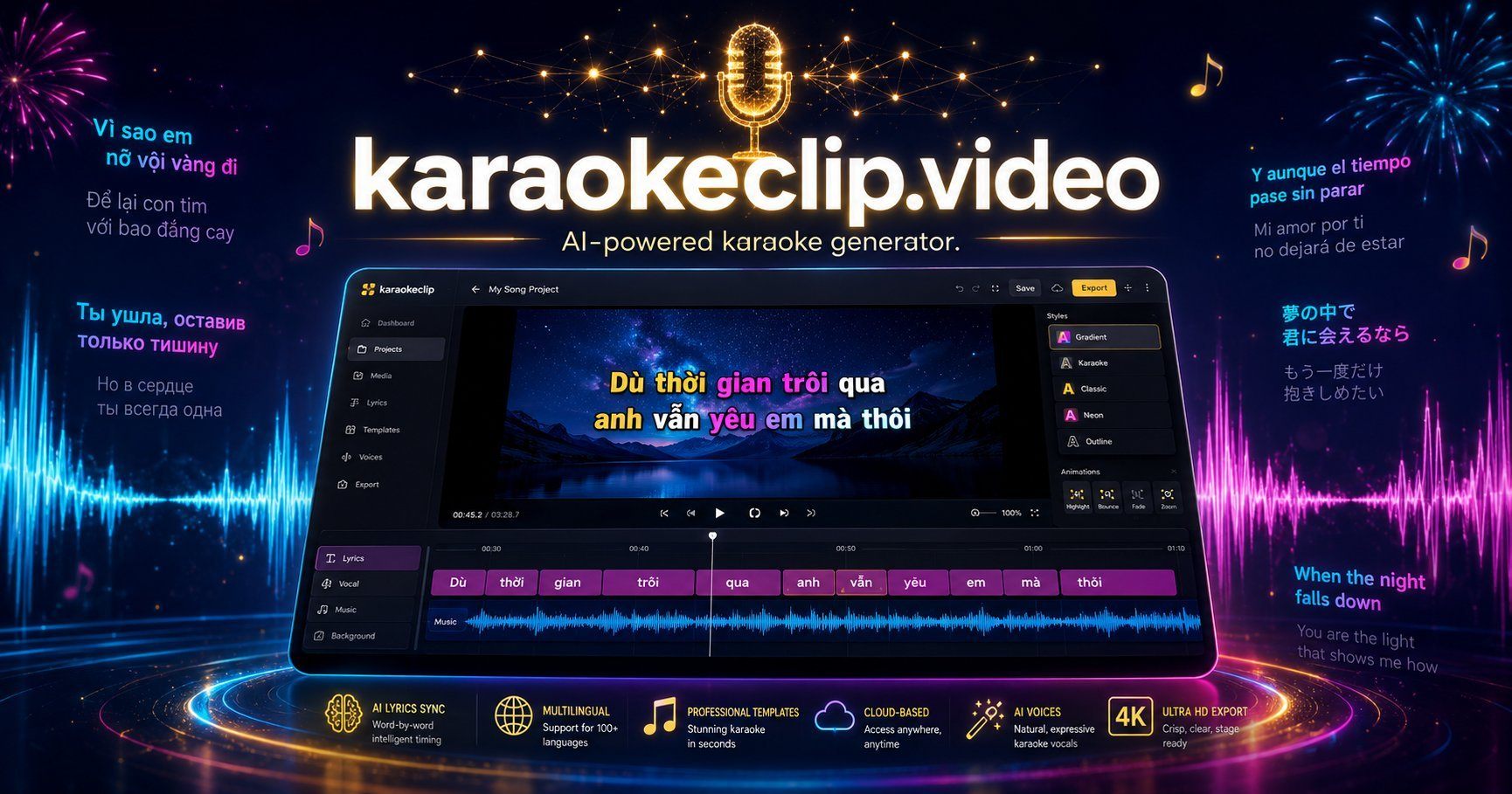
It’s your turn! 🎤✨
Transform your favorite clips into pro-level personalized karaokes.
We can’t wait to discover your creations! 🔥